

Dictate Pro: PatientNotes Smart Dictation Mode
We're thrilled to present our innovation in clinical documentation – the Dictate Pro. Available exclusively on the Professional and Organization plan, this cutting-edge tool is designed to transform the way you create clinical records.
How DictatePro Works
Set the Context
Before you begin dictating, simply state the type of documentation you need:
"This is a phone consultation"
"Create a referral letter"
"Clinical examination notes"
"SOAP notes"
The system will then automatically format your dictation according to the specified document type without requiring a pre-existing prompt template.
Overcoming Traditional Dictation Limitations
Traditional dictation systems often fall short in several areas:
- Improved Accuracy & Error Handling: Our system is designed for high speech recognition accuracy, making error corrections a breeze.
- No More Delays: Efficient transcription means you won’t need to rely on external transcription turnaround times.
- Enhanced Privacy: Your clinical notes are secure and confidential.
- Cost-Effective: Reduce the expense of human transcription services.
Please be aware that like other sessions recorded with PatientNotes, these dictation sessions will only be stored on the server for 30 days.
Verbatim Dictation
For users needing exact transcription, try using phrases like “dictate word for word” or “dictate verbatim” to ensure the system captures your words precisely, without adding context or rephrasing.
You can also try using Prompt Templates for direct dictation which you can read more about here.
Dictate Pro Workflow
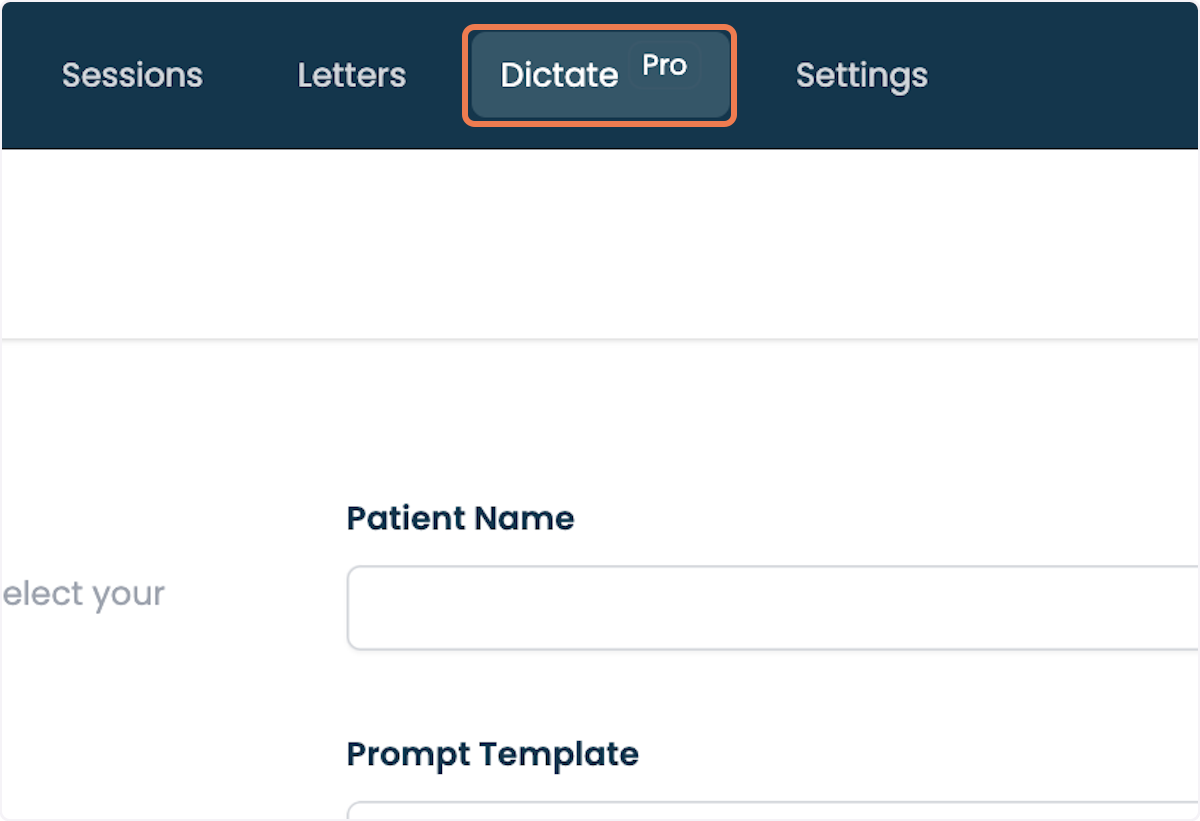
1. Click on DictatePro.
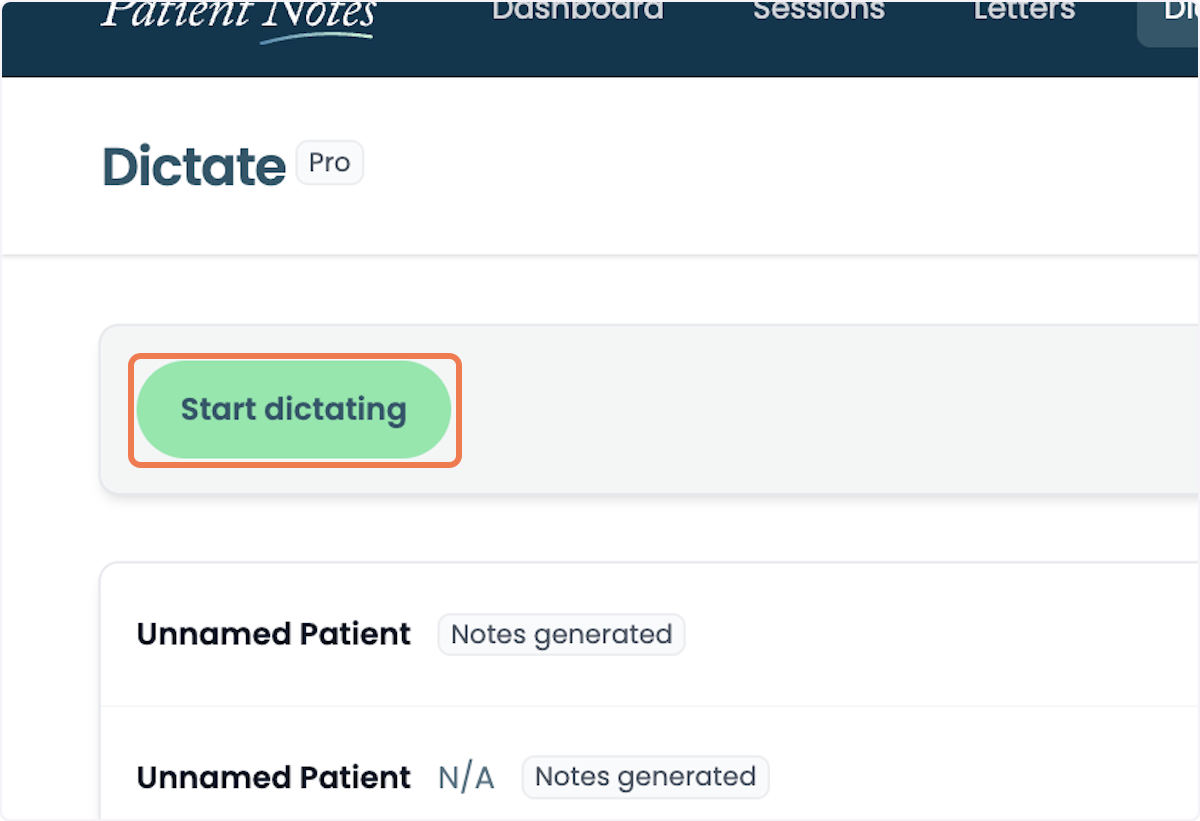
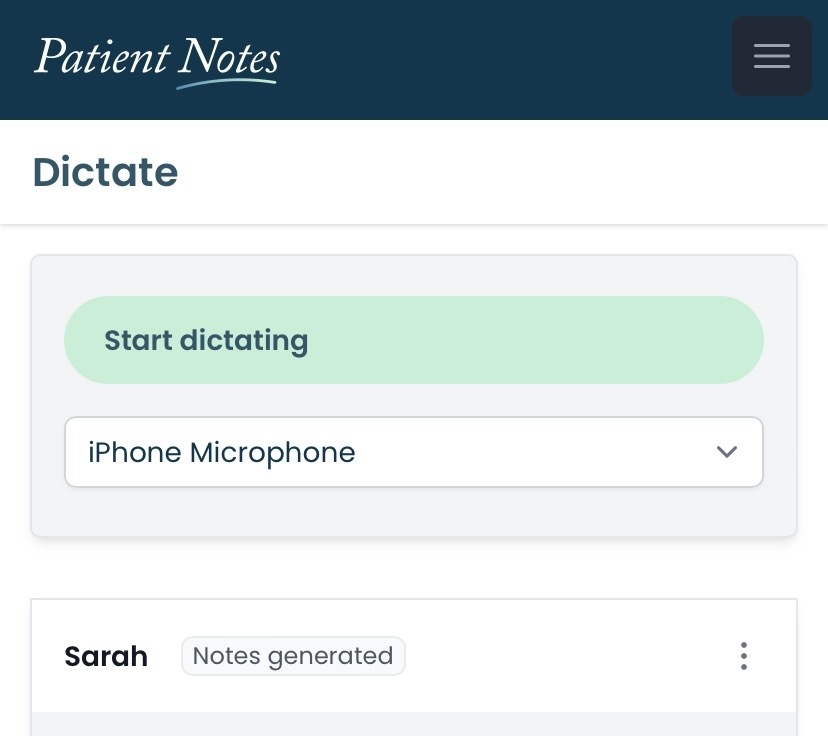
2. Click on Start dictating.
This will automatically convert your speech into a clinical note.
Desktop View:
Mobile View
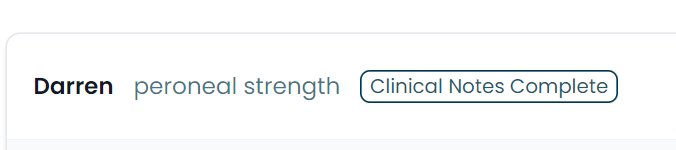
3. The name of the client and a short session summary will appear.
The name of the client and a short session summary will automatically be populated from your dictation. If this does not auto-appear or you would like to change this, click on the session to change it. This may take a few seconds to appear.
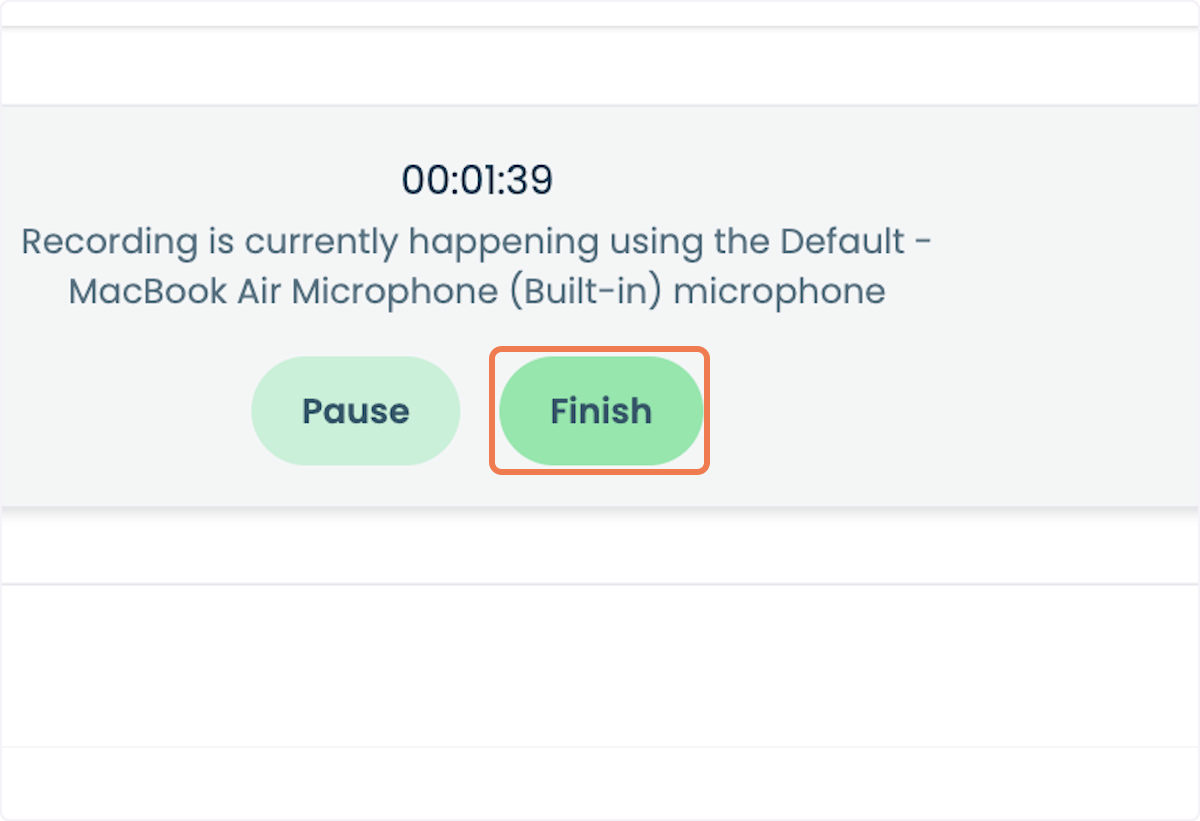
4. Click on Finish.
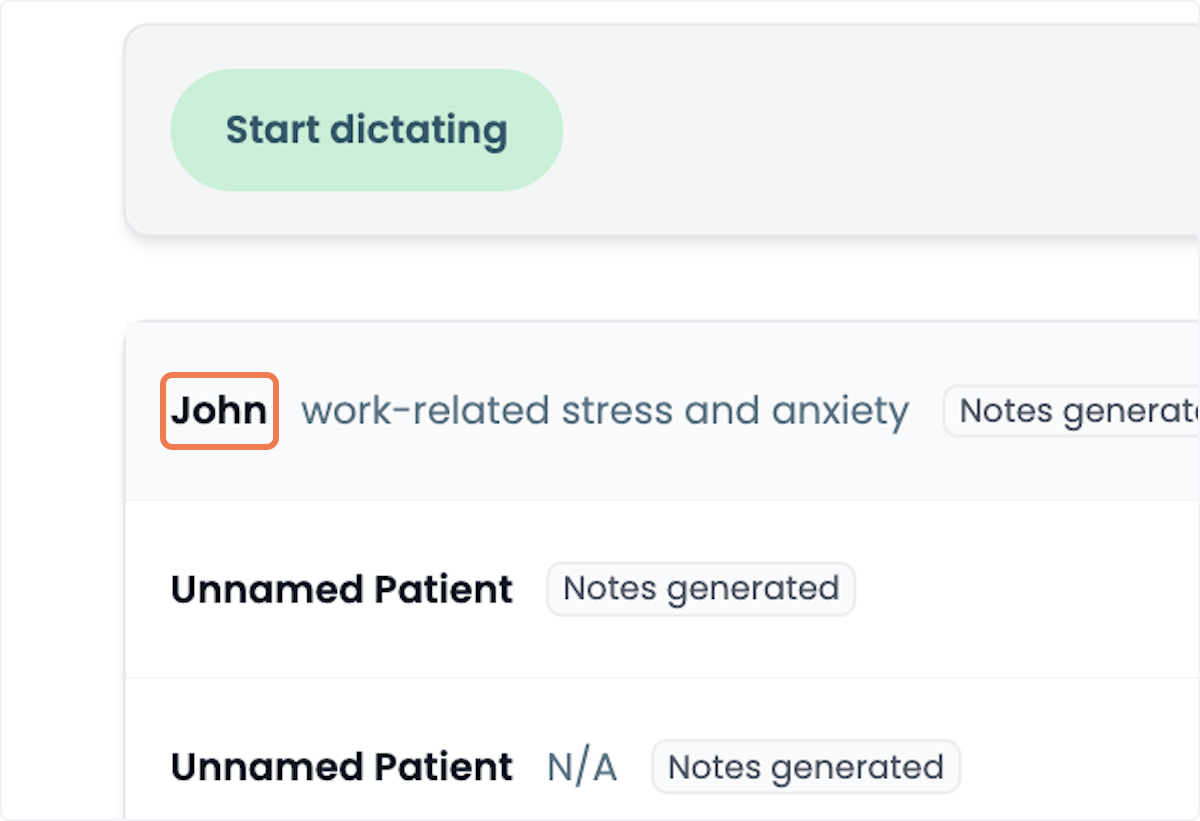
5. Click on the patient session.
The name of the client and a short session summary will automatically be populated from your dictation. If this does not automatically appear, or you would like to change this, click on the session. This may take a few seconds to appear.
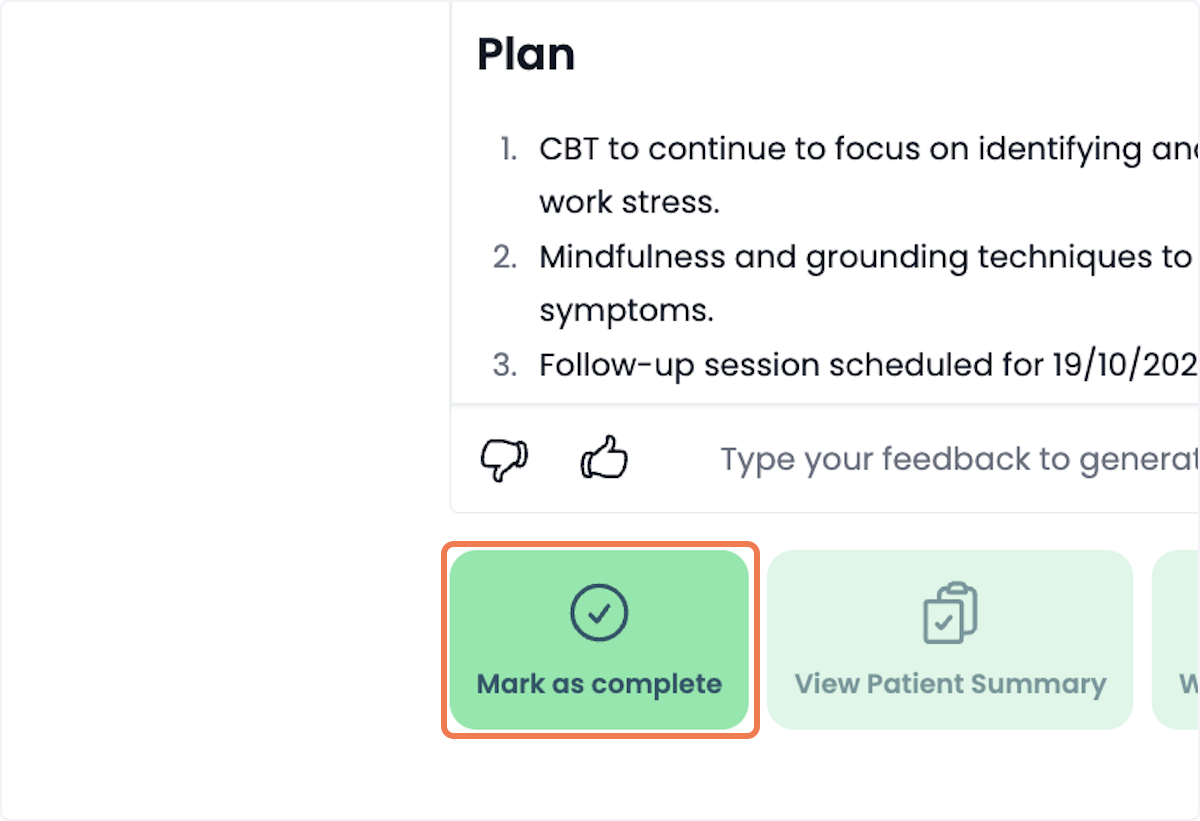
6. Click on Mark as complete
After generating your documents, the standard workflow still applies. This means you can manually access previous sessions, generate notes, and delete sessions as needed.
Once uploaded you will have the chance to use your current letter templates to populate either a medical letter or a patient summary.
Versatile Use: Generate letters, patient summaries
🗣️ How to Dictate Verbatim Using Dictate Pro
If you want your notes or letters to reflect exactly what you say, without rewording or interpretation, you can use the Dictate Pro feature with a verbatim instruction.
This is ideal for medicolegal reports, specialist referrals, or any time you want a word-for-word transcription of your spoken content.
✅ How to Do It:
- Open Dictate Pro during your session.
- Speak naturally — there's no need to verbalise punctuation or structure your grammar like conventional dictation.
Just speak the way you normally would in a clinical setting. - Let the system know you want a verbatim transcription by saying one of the following phrases:
🧠 Suggested Verbatim Prompts:
Choose any of the following to guide the AI:
- “Please generate this in verbatim dictation format.”
- “Dictate this exactly as spoken.”
- “Transcribe this word for word, without editing.”
These instructions tell the system to capture your speech as-is, without summarising or rewriting.
🚀 Advanced Tip:
If the format doesn’t come out exactly how you want, try one of these:
1. Add it to your Prompt Template
In your template settings, include a line like:
“Use a verbatim format for this section.”
This ensures consistent formatting for repeated use.
2. Use the Feedback Box
After generation, scroll to the Feedback section and type:
“Please regenerate in verbatim format.”
This is a quick and easy way to request a revised version.
Need Help?
If you're new to verbatim mode or want to fine-tune your prompt, contact support@patientnotes.app and we’ll guide you through setup.
New to PatientNotes?
Learn more about how it works or start your free trial.
Frequently asked questions
How does PatientNotes work?
Individual signs up, patient consents, session is recorded, transcribed, AI Model used to generate a draft of your clinical notes, then context gained to create a Patient Summary and any needed letters to medical professionals.
I've been told I can't use ChatGPT with patient information, is it ok to use this?
ChatGPT isn't safe to use with patient information. Data entered into ChatGPT is retained for wider language learning models and often patient information is being entered into ChatGPT without consent. PatientNotes is different. Explicit consent from the patient is required for each session. Transcripts are heavily protected with layers of encryption and strict policies, stored in Sydney in Google's HIPAA compliant data center, and automatically deleted after 30 days.
Is a special microphone required?
Most practitioners start using their default laptop microphone, however for the best results we recommend having a dedicated USB microphone on your desk. Omnidirectional USB microphones work great. Read all about our microphone recommendations on our microphone support page.
Can I use PatientNotes on my mobile phone?
Yes. Navigate to patientnotes.app on your web browser, login, and away you go. Recording works great on mobile devices and on most devices will continue even when the screen locks.
Where are PatientNotes servers located?
PatientNotes runs on servers located in Sydney, Australia. We have plans to have dedicated servers in each country with data stored locally for each user where possible eg. If a user sets their country to United States, their data will reside in the United States.
Does PatientNotes use encryption?
Absolutely. Security and Privacy is critical to protecting personal information. We encrypt all information in transit and at rest. Read more on our Security page.
Is the use of AI in healthcare safe and reliable?
We think of AI as an assistant to the medical practitioner rather than replacing the practitioner in any way. The role of our AI systems are to help produce a draft for the practitioner. Beyond that, it’s up to the practitioner to make the required changes to ensure that the notes are accurate before adding them to a patient record. More broadly, we believe AI has an incredible ability to analyse large amount of data and assist humans, but anything it produces must be validated by a qualified medical professional.
Can AI replace human doctors or healthcare providers?
No. Machines can’t replace doctors or healthcare professionals.
Does the system generate a diagnosis?
The system is fine tuned to not provide a diagnosis and focus just on the facts that were inputted by the healthcare provider during the consultation.
Does PatientNotes comply with all Australia privacy and data retention acts and legislation?
Yes. In Australia we comply with the Privacy Act 1988, Health Records Act 2001 (Victoria) and other national legislation with regards to the storage of personal information. Privacy and Security is critical to our business and we take both incredibly seriously. An important design consideration that we have built into the system is to remove data that isn’t needed anymore, which is why all patient information is automatically deleted after 30 days.
Is PatientNotes HIPAA Compliant?
PatientNotes is fully HIPAA compliant. A Business Associate Agreement (BAA) is available to all US customers. To request a BAA, please contact compliance@patientnotes.app
Do I really need to proofread the drafts PatientNotes produces?
Proofreading clinical notes and letters is of utmost importance to ensure their accuracy and reliability as a representation of the supplied information. Mistakes or inaccuracies in medical documentation can have serious consequences, leading to misdiagnosis, incorrect treatment plans, and compromised patient care. Thorough proofreading allows healthcare professionals to review and correct any errors, inconsistencies, or missing information, ensuring that the final notes and letters are a true reflection of the patient's condition and the provided information. This attention to detail enhances communication, promotes patient safety, and facilitates effective collaboration among healthcare teams.