
Revolutionize your nursing documentation with intelligent AI assistance
PatientNotes helps registered nurses reduce charting time for nursing staff and administrative personnel. Streamline patient assessments and care planning, allowing your nursing team to dedicate more time to direct patient care and education.
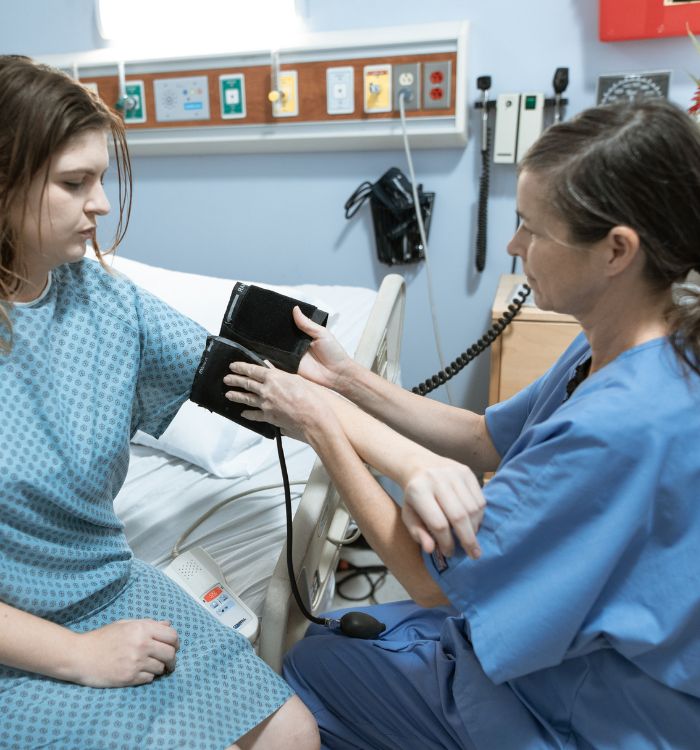




Foster a more efficient and care-centered nursing practice
PatientNotes employs AI to create detailed nursing notes and shift reports automatically, significantly reducing documentation burden. Improve departmental efficiency, enhance nurse satisfaction, and create more time for meaningful patient interactions.


Reduce documentation hours and optimize patient care in your nursing unit
PatientNotes streamlines clinical workflow by allowing registered nurses to complete patient documentation instantly with AI. Minimize charting time, improve nursing productivity, and increase direct patient care across all shifts.
.webp)
Elevate your nursing team's clinical effectiveness
Entrust documentation to PatientNotes, allowing your registered nurses to focus on what they do best—providing skilled, compassionate patient care. With AI-assisted note-taking, administrative requirements are fulfilled efficiently, improving overall nursing quality.

Decrease documentation burden on your nursing professionals
By automating the creation of nursing notes and care plans, your RNs no longer need to stay after shifts or rush through breaks to complete documentation, enhancing staff wellbeing and reducing burnout.

Nursing standards compliance made effortless
Ensure comprehensive, accurate, and compliant nursing records for every patient interaction, reducing potential regulatory issues. Automatically generate care summaries and handover reports to improve patient monitoring and continuity of care.

Protecting patient health data with confidence
At PatientNotes robust security measures create the strong immune system we know is vital to your patient's healthcare data. We know medical information is sensitive, and we’ve fortified PatientNotes with cutting-edge security measures to safeguard your clinical consults and notes.





Works with your healthcare facility's systems
PatientNotes integrates seamlessly with all major electronic health record systems like Epic, Cerner, and more, ensuring a smooth transition and minimal disruption to your nursing operations.






Accessible on any device, throughout your healthcare setting
PatientNotes is cloud-based and operates on any platform—workstations, tablets, smartphones—allowing your nursing team to access and update patient documentation from anywhere, whether at bedside, nurse stations, or during patient transport.

iPhone app
iPad app
PC
Mac
Microsoft Teams
Zoom
Google Meet (using PatientNotes Mac App)





Plans for teams of all sizes



Frequently asked questions
How can AI scribes help with nursing documentation during patient assessments?
AI scribes document your patient assessments as you speak, capturing vital signs, symptoms, and physical examination findings while you focus on your patient. This reduces time spent on charting after each assessment.
How do AI scribes handle medication administration documentation?
AI scribes can document medication administration details as you verbalize them, including medication names, dosages, routes, and patient responses. You'll always review the documentation for accuracy before finalizing your medication administration records.
How do I transfer my nursing notes from an AI scribe into my hospital's EHR system?
After reviewing your AI-scribed nursing notes for accuracy, simply copy and paste them into your hospital's EHR system. The transferred documentation maintains its format and content while integrating seamlessly with existing patient records.
Will AI scribes understand nursing-specific terminology like SBAR communication and nursing diagnoses?
AI scribes recognize standard nursing terminology including SBAR format, nursing diagnoses, and care plan language. As you use the system more, it becomes familiar with your specific documentation patterns and unit-specific terms.
Can I use an AI scribe during bedside rounds or shift handoffs?
AI scribes work well during bedside rounds and shift handoffs by capturing key information as you communicate with colleagues or patients. This creates a comprehensive record of discussions without interrupting your clinical workflow.
What about HIPAA compliance when using AI scribes for nursing documentation?
AI scribing platforms prioritize HIPAA compliance through secure data transmission, storage encryption, and role-based access controls. Your facility's privacy protocols should still be followed, including obtaining appropriate consent and using the technology in private spaces.
Book a Discovery Call
Simply fill out the form and select a time that suits you best
Ready to get started? Create an account today
Transform the medical reporting in your practice, elevate the standard of patient care and bolster effective communication among healthcare professionals.



