
Transform your speech therapy practice with AI-powered documentation
PatientNotes helps speech therapists reduce administrative workload for both clinical and support staff. Streamline session notes and treatment plans, allowing your therapists to dedicate more time to effective communication interventions.




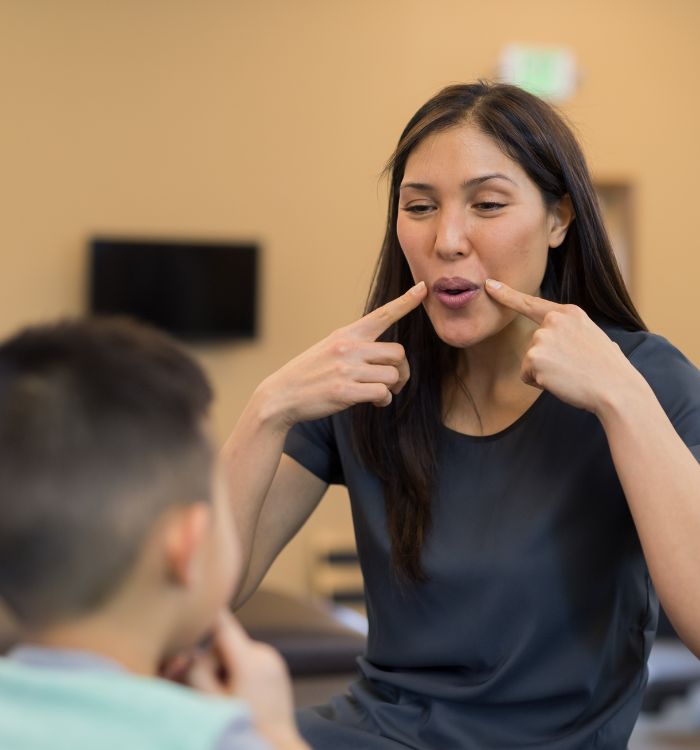
Create a more efficient and client-focused speech therapy practice
PatientNotes employs AI to automatically generate therapy session notes and progress reports, minimizing documentation time. Enhance productivity, lower stress levels, and facilitate smoother clinic operations benefiting both staff and clients.


Reduce paperwork hours and save time across your speech therapy practice
PatientNotes optimizes clinical workflows by allowing speech therapists to finalize session notes instantly with AI. Reduce time-consuming documentation, improve team productivity, and increase appointment availability for new clients.
.webp)
Boost your therapy practice's efficiency
Delegate documentation to PatientNotes, allowing your speech therapists to focus on what they do best—providing quality communication intervention. With AI-driven note-taking, administrative tasks are completed efficiently, improving overall practice productivity.

Decrease documentation burden on your therapy team
By automating the creation of session notes and progress reports, your speech therapists no longer need to work through breaks or evenings to complete paperwork, enhancing staff satisfaction and work-life balance.

Clinical compliance simplified
Ensure detailed, accurate, and compliant therapy notes for every session, reducing potential clinical compliance issues. Automatically generate treatment summaries and reports to improve client management and communication with referral sources.

Protecting patient health data with confidence
At PatientNotes robust security measures create the strong immune system we know is vital to your patient's healthcare data. We know medical information is sensitive, and we’ve fortified PatientNotes with cutting-edge security measures to safeguard your clinical consults and notes.





Integrates with your practice management system
PatientNotes connects seamlessly with all major practice management systems used by speech therapists like Cliniko, Power Diary, and more, ensuring a smooth transition and minimal disruption to your clinic operations.






Available on any device, wherever you practice
PatientNotes is cloud-based and functions on any device—desktop, laptop, tablet, smartphone—allowing your speech therapy team to access and update clinical notes from anywhere, whether in-clinic, during home visits, or via teletherapy.

iPhone app
iPad app
PC
Mac
Microsoft Teams
Zoom
Google Meet (using PatientNotes Mac App)





Plans for teams of all sizes



Frequently asked questions
How can AI scribes help with documentation during speech therapy sessions?
AI scribes document speech therapy sessions in real-time as you work with clients, capturing assessments, interventions, and client responses without disrupting the therapeutic relationship.
How do I integrate AI scribe notes into speech therapy electronic documentation systems?
After your session, copy and paste the clinical notes generated by the AI scribe into your preferred speech therapy practice management system or EHR. This eliminates duplicate documentation while maintaining compliance with your existing workflows.
Can AI scribes document progress toward speech therapy goals and treatment outcomes?
AI scribes document your verbal assessments of progress toward established goals, capturing functional improvements, therapeutic techniques used, and recommendations for home practice. This creates consistent documentation of treatment effectiveness required for insurance reimbursement and continuation of care.
Can AI scribes accurately capture specialized speech pathology terminology?
AI scribes recognize and document specialized speech pathology terminology including articulation disorders, phonological processes, dysarthria, and fluency disorders. The accuracy improves with continued use as the AI learns your specific vocabulary patterns.
How might an AI scribe handle documentation during dynamic speech therapy sessions with children?
During sessions with children, activate the AI scribe at the beginning and it will capture your clinical observations, therapeutic approaches, and the child's responses throughout the session. This allows you to remain fully engaged with the child while still creating comprehensive documentation.
How do AI scribes support documentation for group speech therapy sessions?
During group sessions, AI scribes record your observations and interventions for multiple clients simultaneously. Simply identify which client you're referring to when speaking, and the AI will organize notes appropriately for each participant in the session.
Book a Discovery Call
Simply fill out the form and select a time that suits you best
Ready to get started? Create an account today
Transform the medical reporting in your practice, elevate the standard of patient care and bolster effective communication among healthcare professionals.



